
Resume Builder
Make Your Resume Relevant To The Role.
Add your current resume and a job description. Build a one-page version from information you can support, then review it before downloading.
Build Your ResumeFree to use. Save your progress in one account.
Video unavailable. Try playing it again.
Read Scene Description
At a resume counter, a candidate speaks with a guide and receives a document to review. The product lets you prepare a focused page from supported experience and inspect it before download.
- Read The Brief
- Choose The Evidence
- Shape The Page
- Ready For Review
Step By Step
How To Use Resume Builder.
Prepare a one-page resume and review the PDF before downloading.
- 01
Choose Your Resume Path
Best Generic Resume starts with a PDF and no posting. Tailored Resume starts with a fresh PDF and a required job posting.
- 02
Confirm What We Read
Review and correct the positions and degrees read from the PDF. Choose Confirm And Score before any score appears.
- 03
Review Your Result
Best Generic Resume opens the scoring sheet for one decision per suggested change. Tailored Resume uses the required posting to guide its review. Review the one-page PDF before download.
See The Resume Before You Download.
Compare a sample one-page resume before and after changes for a specific role.
Resume Builder
Choose A Resume Path
Best Generic Resume starts with a PDF and no posting. Tailored Resume starts with a fresh PDF and a required posting.
Learn More About Choose A Resume Path In Resume BuilderConfirm And Read Your Scores
Review the parsed positions and degrees, then choose Confirm And Score. Resume Quality, Job Fit and Qualification appear separately. Each measured score shows its measured maximum; an unrun rule says Not Measured.
Learn More About Confirm And Read Your Scores In Resume BuilderDecide What Changes
Best Generic Resume opens the scoring sheet for one decision per suggested change. Tailored Resume uses the posting to guide its review and one-page PDF.
Learn More About Decide What Changes In Resume Builder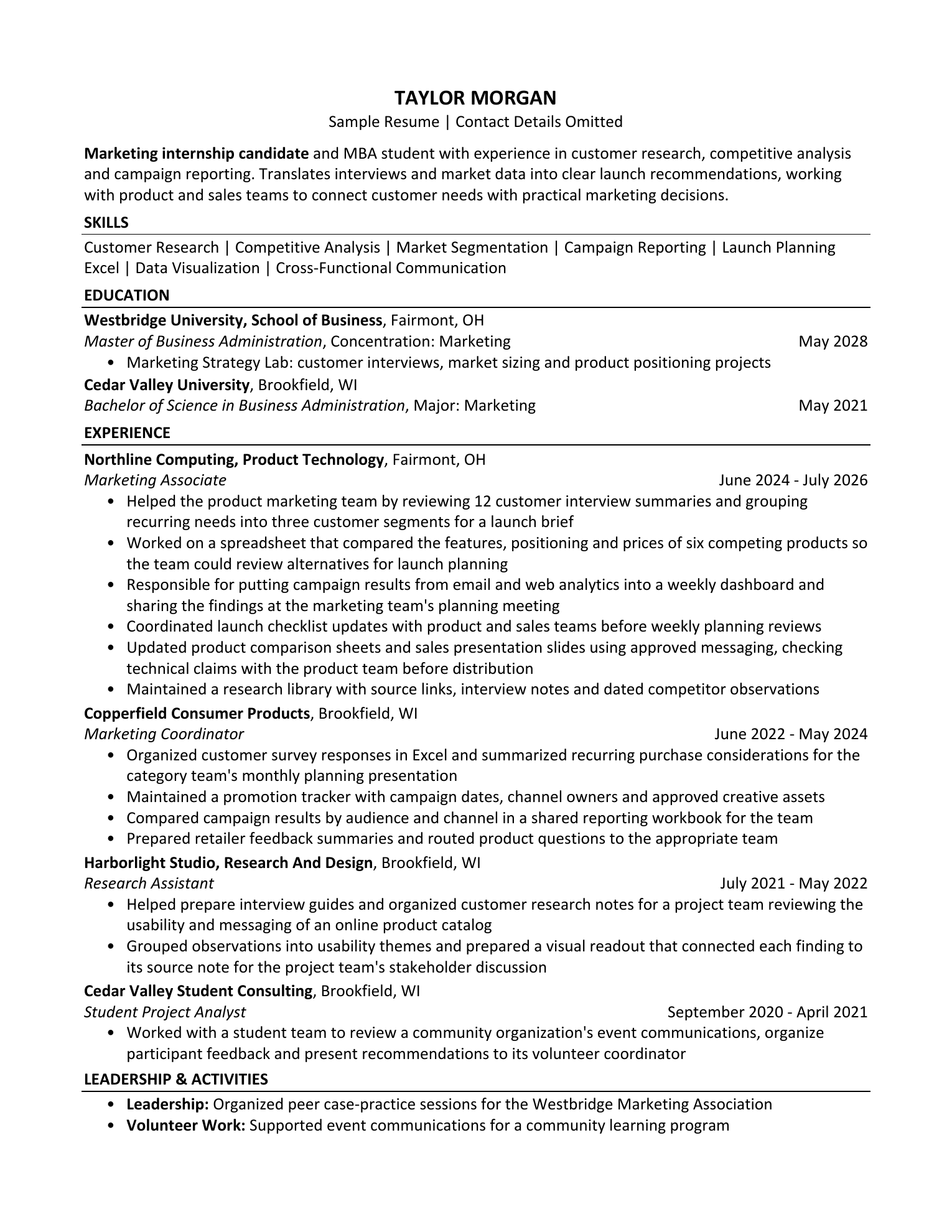
Helped the product marketing team by reviewing 12 customer interview summaries and grouping recurring needs into three customer segments for a launch brief
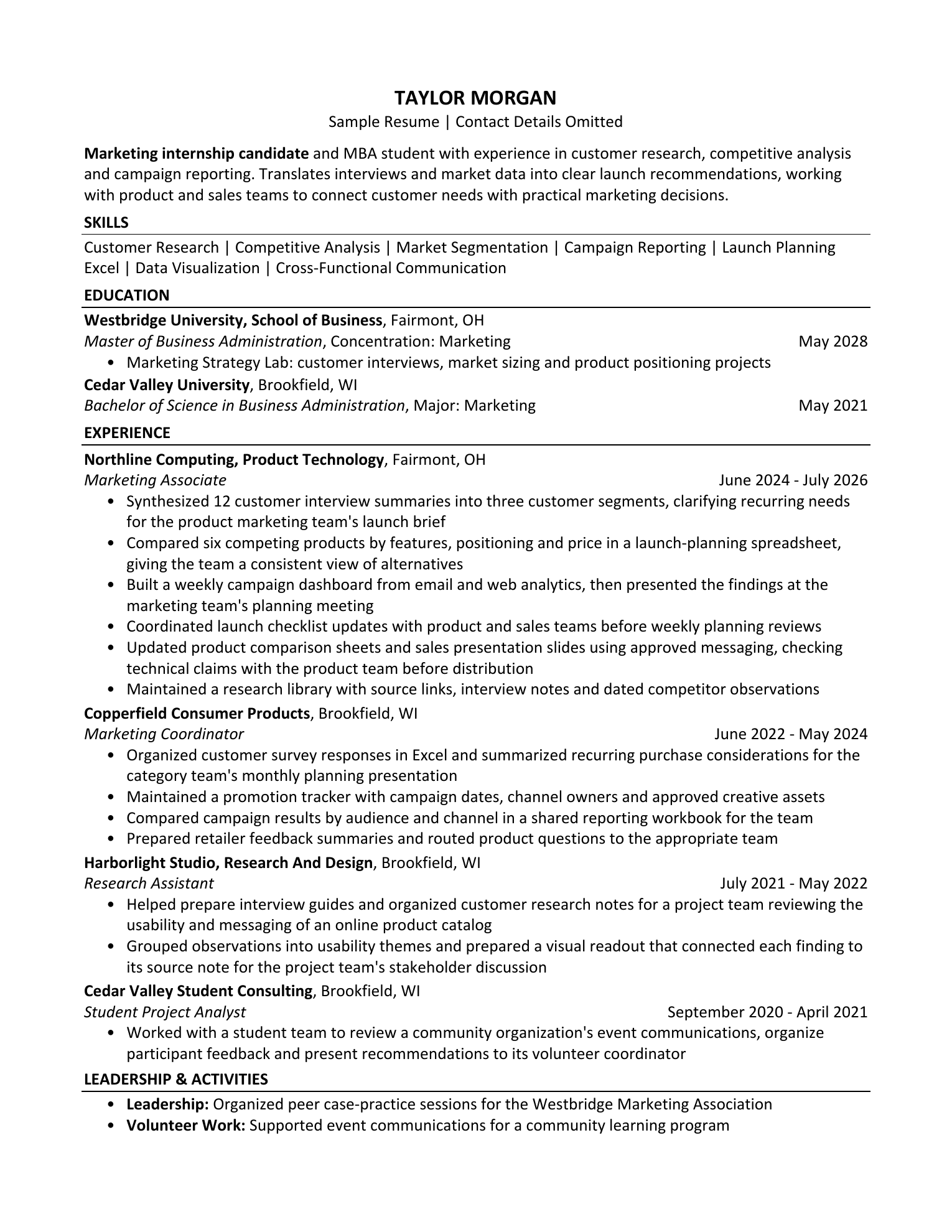
Synthesized 12 customer interview summaries into three customer segments, clarifying recurring needs for the product marketing team's launch brief
What Your Account Saves
Your Saved Work,
Ready When You Return.
Extracted Resume text and structure, source references, confirmed career information, a job posting when supplied and your saved decisions. Original PDF files are not stored in your account.
How Your Information Is KeptHow Do The Two Paths Work?
Best Generic Resume starts with a PDF and no posting. Tailored Resume starts with a fresh PDF and requires a posting. Both ask you to confirm the parsed details before scoring and review the result.
Will My Original Format Stay The Same?
Upload a PDF. A Word file is refused: The selected file must be a PDF; save your Word file as a PDF and upload it again. Supported one-page PDFs retain their measured fonts, positions and text slots. Wording that cannot fit safely may stay unchanged, with an explanation. Unsupported PDFs offer an explicit rebuilt layout.
What Do The Scores Show?
Resume Quality, Job Fit and Qualification are separate. Each measured score shows its points and measured maximum. A rule that did not run says Not Measured with its reason. The panel says how many rules ran and lists the ones that did not. With no posting in Best Generic Resume, Job Fit and Qualification say Not Measured.
How Do I Ask For Help?
Open Help in your workspace for guidance and current support options.
What If I Return Later?
Your decisions stay with the saved review. If the original PDF is no longer in browser memory, reattach that same file to prepare a source-format export.
Can I Bring More Experience?
Career Profile accepts up to ten resume versions per import. Review extracted information, or use a prompt in your own AI tool and confirm the useful facts. Your AI account is not connected, and user confirmation is not independent verification.