
Build On Experience You Can Support
Use your own experience to prepare a focused one-page Resume. Review the result before downloading, with your confirmed facts ready to support the next role too.
Explore Resume BuilderFree For Everyone Four Services
Your Search.
All In One Place.
Keep more than a Resume ready. Connect your confirmed experience, saved roles, contacts and follow-ups in one workspace.
All four services included, free. No payment method needed to create an account.
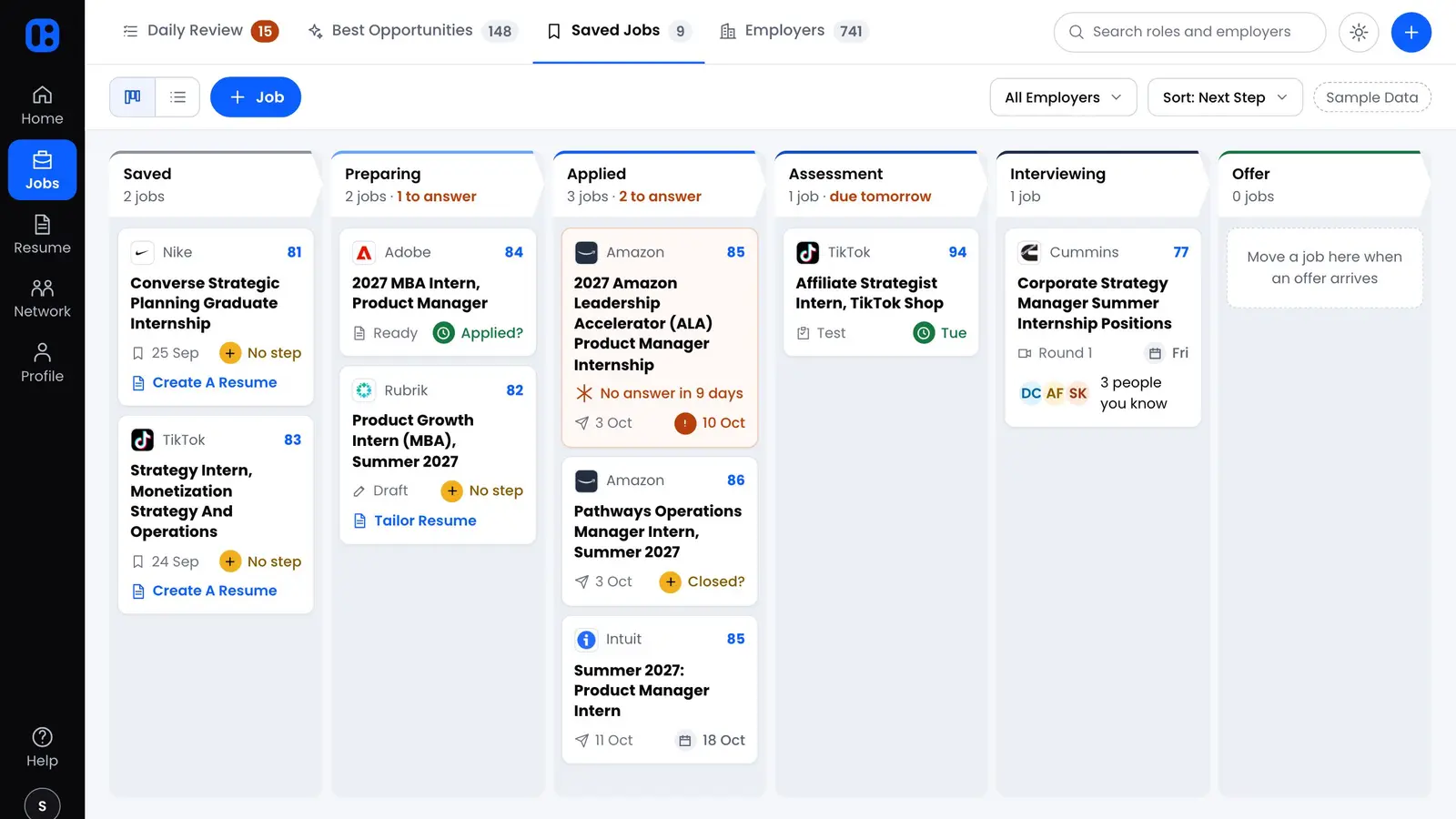
Keep confirmed facts in your Career Profile.
Return to the role, the Resume or the conversation.
Check your Resume before you download it.
Side By Side
Published features, with the details behind each difference.
| Your Next Step | Omni MBAAll Four Services. One Account. | TealPublished Plan Details |
|---|---|---|
| Getting Started | Sign up directly, free. Keep your work in one account. | Direct sign-up with a free tier and optional Teal+ plan. [1] |
| Resume Preparation | Prepare a focused one-page PDF using supported experience. Review the result before downloading. | Unlimited Resumes. Free and paid tiers have different AI and customization limits. [1] |
| Job Description Keywords | Bring the posting into your Resume workflow and choose relevant experience you can support. | The free tier shows five keywords; Teal+ expands keyword access. [1] |
| Saved Jobs | Save the original posting, source and application stage. | Unlimited job tracking is listed in the free tier. [1] |
| Interview Preparation | Build stories from your experience, then practice behavioral answers out loud, one question or a timed interview, and see what each answer contained. | Its FAQ says Interview Practice is no longer available to new Teal users and is not actively supported. [2] |
| Cost And Access | Free for everyone: Job Search, Resume Builder, Interview Practice and Networking CRM in one account. No price, no trial and no payment method. | Free tier. Teal+ lists $13 per 7 days, $29 per 30 days or $79 per 90 days. [1] |
Prepared by Omni MBA. Vendor descriptions checked . Features and plans can change. “Not described” means the source does not answer that question.
View SourcesThe Practical Differences
Use your own experience to prepare a focused one-page Resume. Review the result before downloading, with your confirmed facts ready to support the next role too.
Explore Resume BuilderWhen you return to an application, context matters. In Omni MBA, save the original posting with the role and its stage so you can check details before your next step.
Explore Job SearchSave each contact with your conversation notes and a follow-up date, so you know who to contact next and what to talk about. You send every message yourself.
Explore Networking CRMYour Decision
Choose Omni MBA when you want to keep your roles, supported Resume content, interview practice and your contacts and follow-up notes together.
All four services are free for everyone. No school partnership is required, and creating an account needs no payment method.
Start Your Job SearchStart with the output you need. Omni MBA focuses on a reviewed one-page PDF grounded in your experience. If template customization is a priority, explore Teal’s options and plan limits as well.
Saving a role in Omni MBA keeps the posting and your application stage together. It does not submit an application. You decide when and where to apply.
You can bring your current Resume PDF and add the roles and contacts you want to keep. Omni MBA does not offer an automatic Teal account import.
This page compares public product descriptions. It does not report a hands-on test of every competitor feature.
Omni MBA details: Services and Documentation.